How to Update Your Deal Alert Preferences
Last updated: September 14, 2026
Your preferences control which Amazon deals DealHurryUp alerts you about. Editing them takes about a minute and works the same way on the mobile app and on the website: log in, open the User Center, and change your subscriptions.
If you have not subscribed to any categories, you will not receive alerts for the products you are interested in — so this is the first place to check if your deal notifications have gone quiet.
Update preferences in App/Mobile Web Browser
Open DealHurryUp App , After logging in, find the subscription menu in the user center and you can modify it after entering.
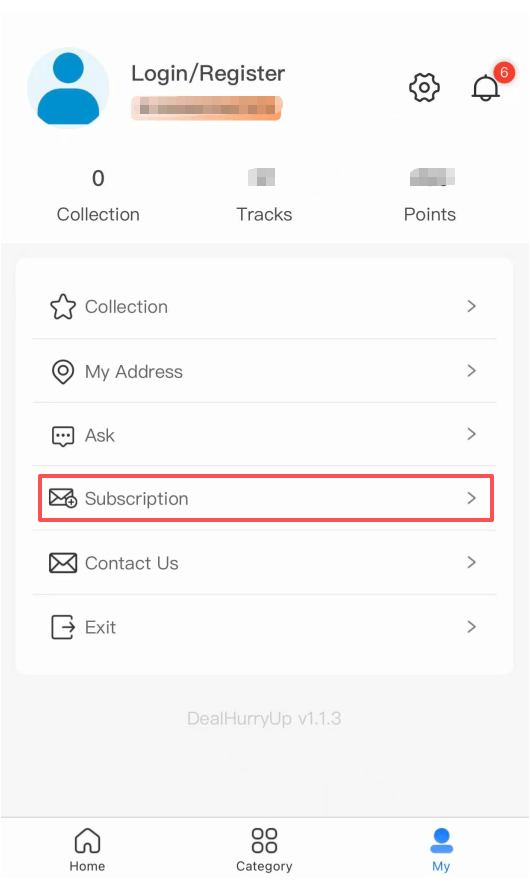
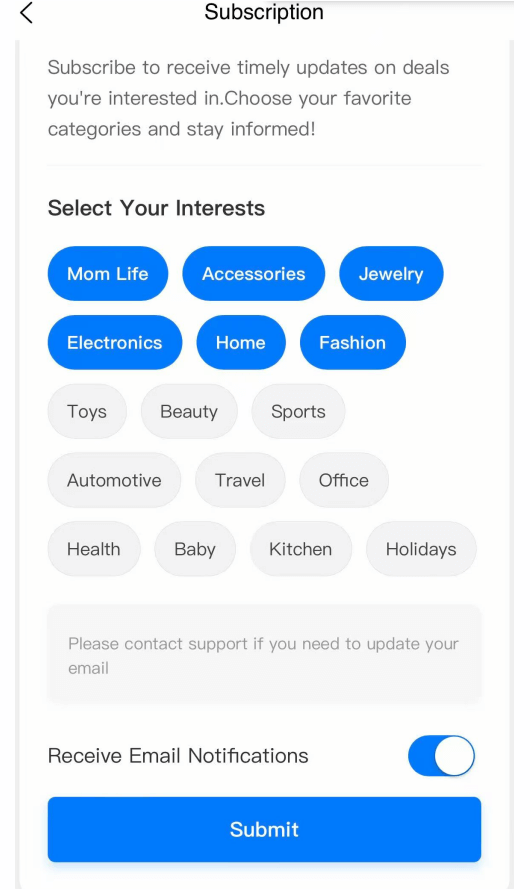
Tip: Please make sure your app is the latest version.
Update preferences in Desktop Browser
Open DealHurryUp.com in your desktop browser, log in, and find your subscription in the User Center to modify it.
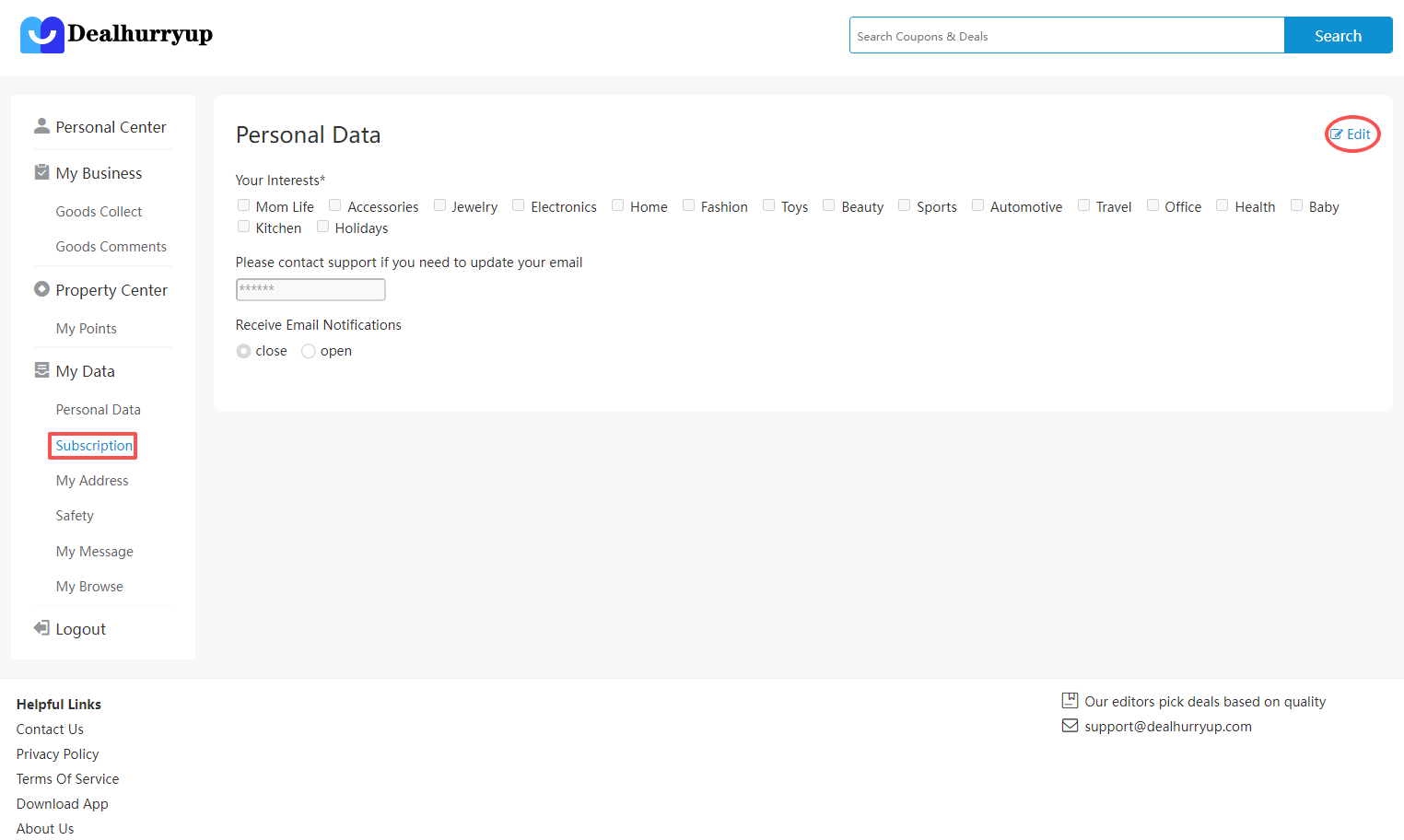
DealHurryUp User Center
Tip: If you do not subscribe, you will not receive the products you are interested in.
Frequently asked questions
Where do I change my deal alert preferences?
In the User Center. Log in to the DealHurryUp app or to dealhurryup.com, open the User Center, and find the subscription menu to edit which categories and products you want alerts for.
Can I update my preferences from a desktop browser?
Yes. Open dealhurryup.com in a desktop browser, log in, and find your subscription in the User Center to modify it. The same subscriptions are reachable from the mobile app.
What happens if I do not set any preferences?
If you do not subscribe to any categories, you will not receive alerts for the products you are interested in.
Choose What You Get Alerted About
Preferences decide which Amazon price drops reach you, so it pays to set them once and revisit them when your shopping habits change. Most shoppers start with two or three categories and add more later — subscribing to everything at once tends to bury the discounts you actually care about.
Categories worth subscribing to
- Electronics and home — the deepest discounts, and the ones that sell out fastest.
- Kitchen and beauty — frequent repeat promotions on the same products, easy to catch a low.
- Baby and fitness — steady demand, so alerts help you avoid restocking at full price.
You can pair your preferences with the pages below, which are filtered the same way and refresh on their own schedule.
- Today's best Amazon deals — refreshed every 24 hours by DealHurryUp editors.
- Verified Amazon promo codes — every code with its discount, eligibility rules and expiry date.
- Amazon deals under $25 — cheap picks that still pass our editor check.
- Amazon deal news — Prime Day, Black Friday and seasonal sale coverage.