How to Use Amazon Promo Codes
Last updated: September 14, 2026
An Amazon promo code is a short string of letters and numbers that takes an extra percentage or fixed amount off an eligible item at checkout. Unlike Amazon coupons, which you activate with a checkbox on the product page, a promo code has to be typed or pasted into a field during checkout — and it only works while the code is still valid.
This guide shows the exact three steps: where to get a code that still works, how to check whether Amazon is already offering a better discount on the same item, and where to enter the code so it actually applies. Screenshots are for the desktop site; the mobile app follows the same order, with the promo code field on the final checkout screen.
Get Promo Code from DealHurryUp
Visit the DealHurryUp website, find your favorite products and their corresponding promo codes. Click the "Link to Deal" button, and the promo code will be automatically copied to your clipboard.
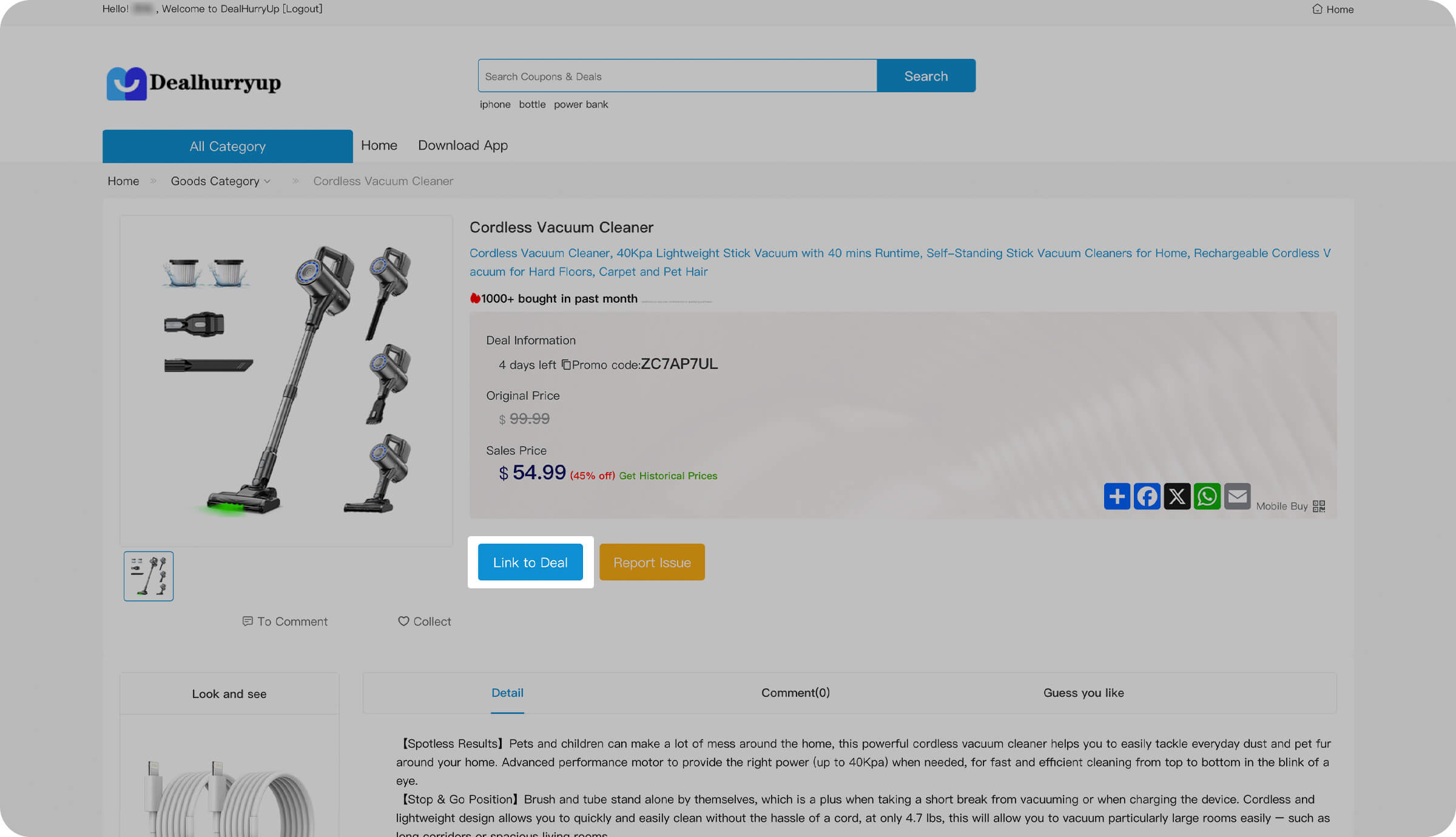
DealHurryUp Promo Code Page
Tip: Make sure you copy the complete promo code, including all letters and numbers.
Check for Additional Promo Codes
On the Amazon product page, scroll down to see if there are any other available discounts or promotions. These may include limited-time offers or bundle deals.
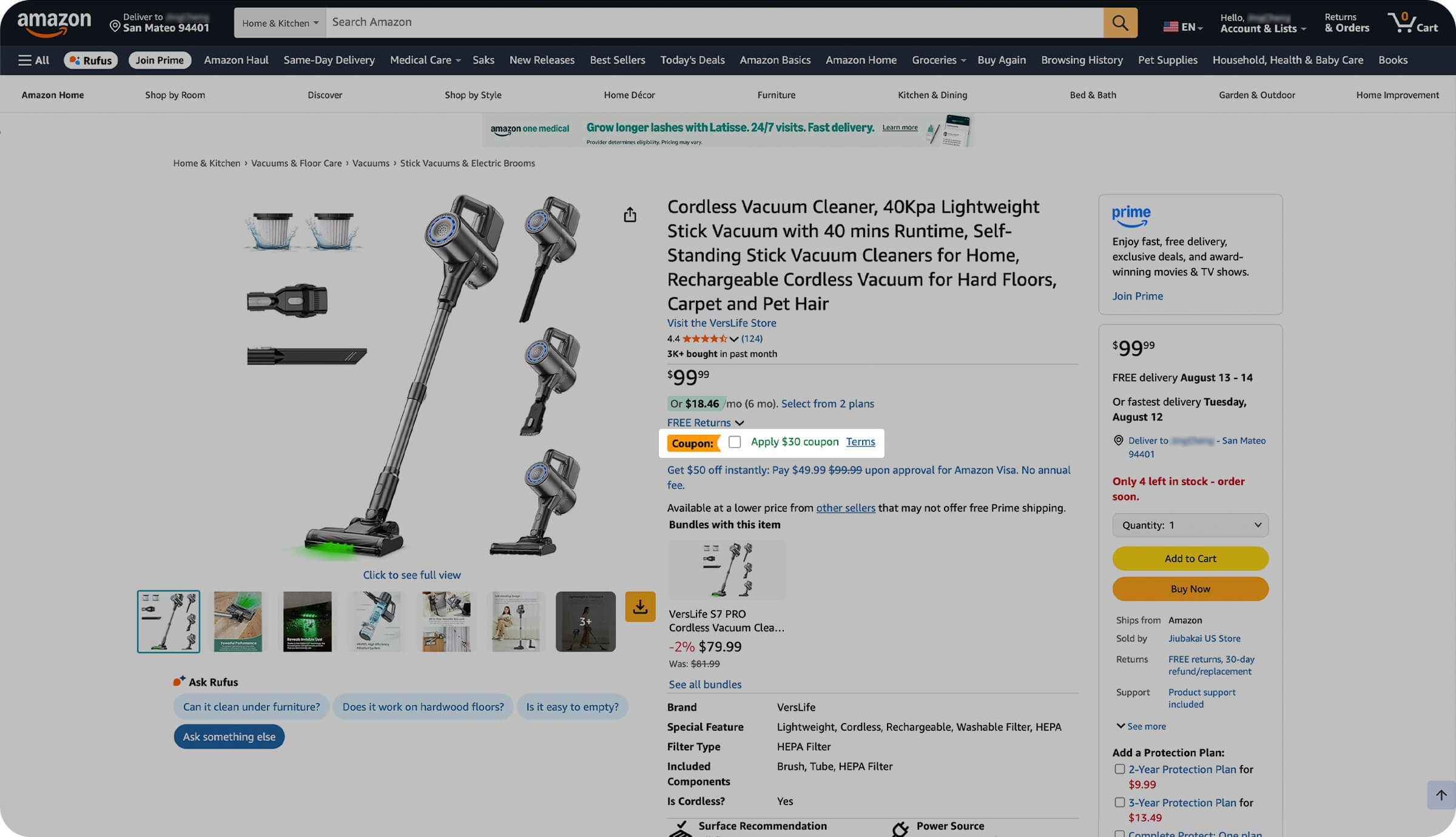
Amazon Product Discount Page
Tip: Some promo codes may only apply to specific product categories or orders that meet certain conditions.
Apply Promo Code
Enter the promo code you obtained from DealHurryUp in the appropriate field during checkout.
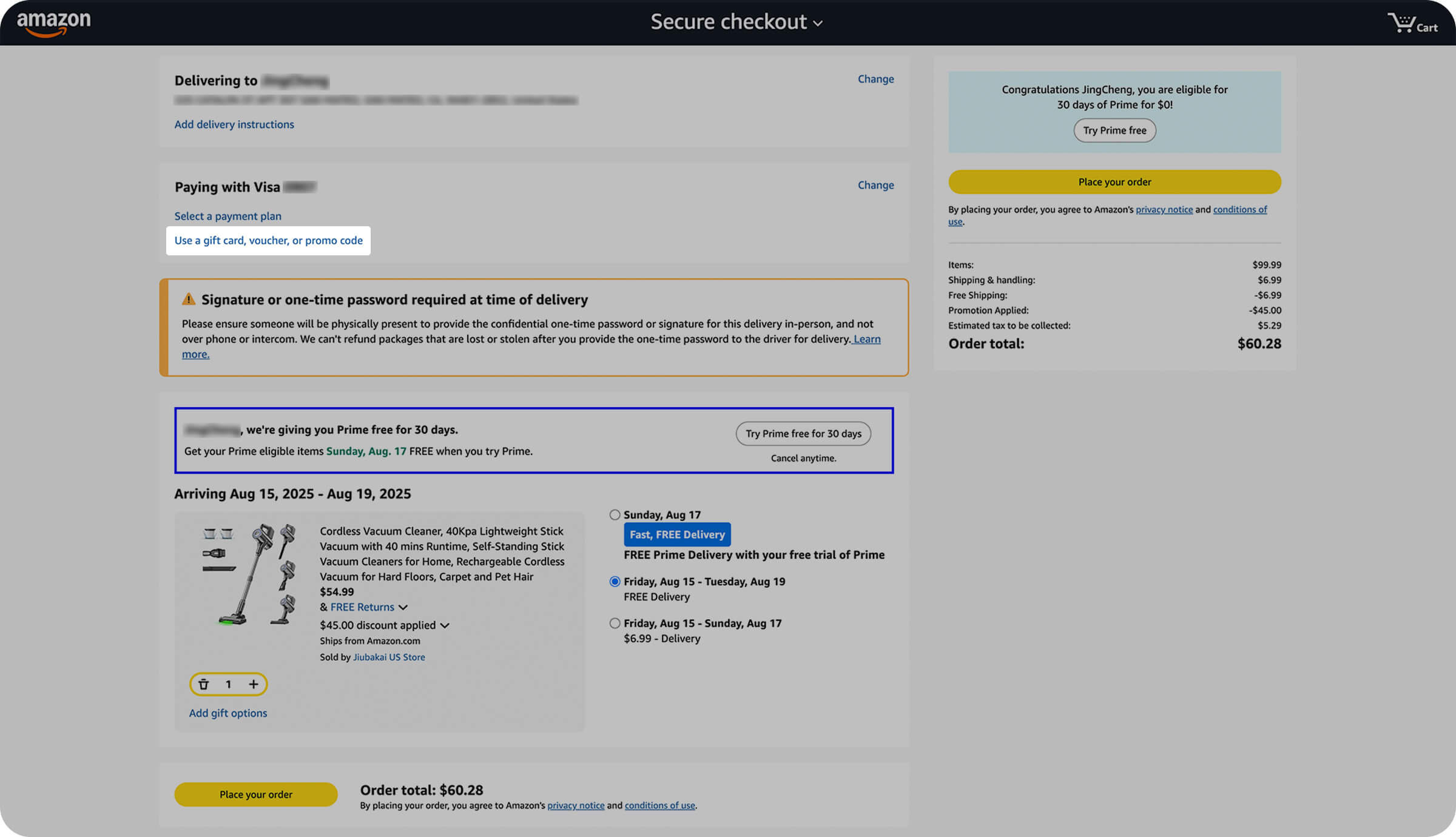
Click Use promo code
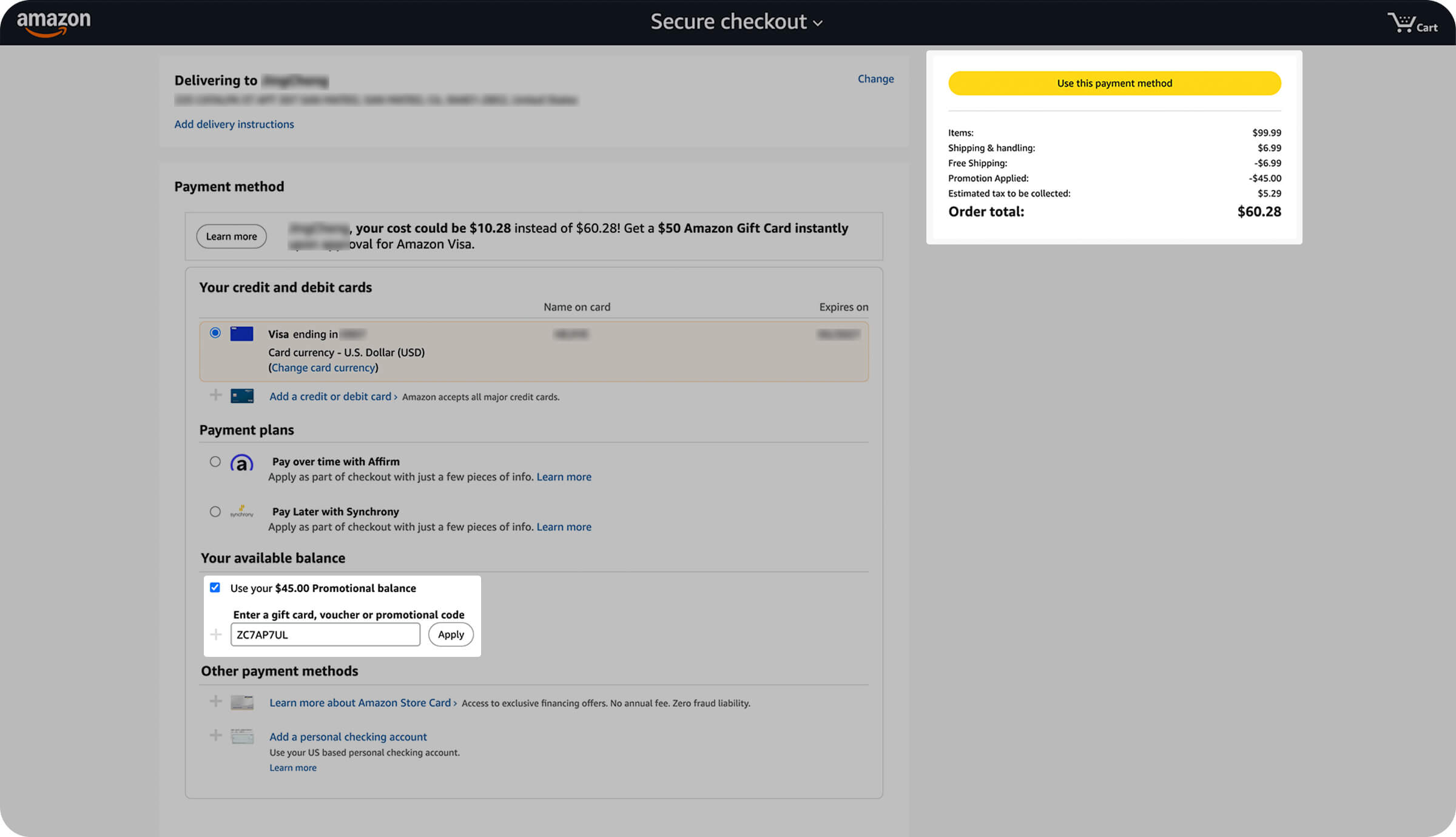
Enter your promo code
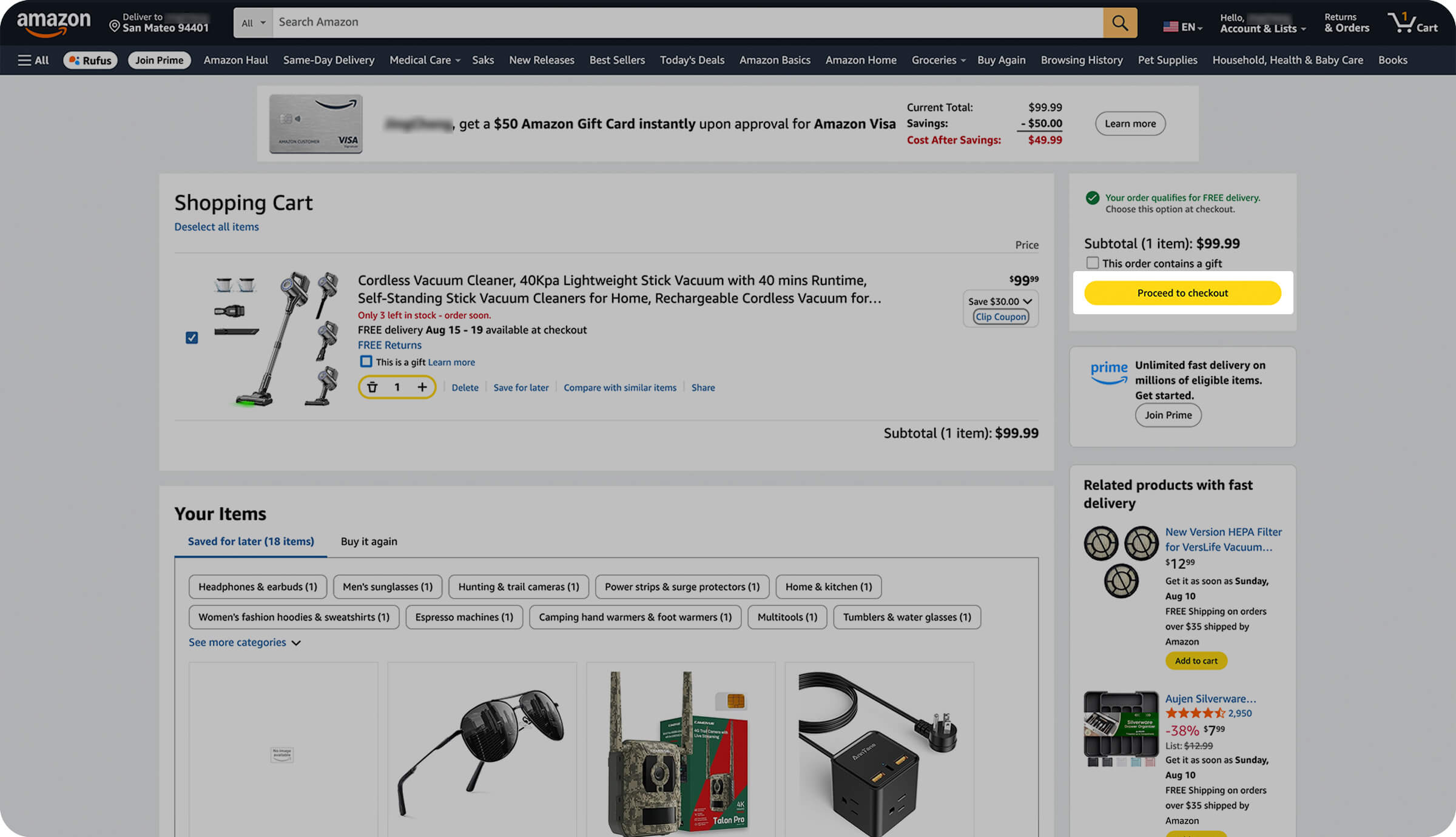
Tip: Promo codes are usually applied before the "Payment Method" section on the checkout page.
Watch Step-by-Step Video Tutorial
Tips to Keep in Mind
-
Promo codes must be applied to your order before checkout.
-
You can usually use only one promo code per order.
-
Some promo codes may have minimum order value requirements.
-
Promo codes typically have expiration dates, so check before using.
-
If a promo code isn't working, try refreshing the page and re-entering it.
-
Amazon promo codes can only be used on the Amazon website or app.
Still Not Working?
If you're having trouble using a promo code, here are some possible solutions:
Check Code Accuracy
Make sure the promo code you entered matches exactly what's shown on the DealHurryUp website, including capitalization and special characters.
Check Expiration Date
Promo codes usually have expiration dates, so ensure the code you're using hasn't expired.
Check Eligibility Requirements
Some promo codes may only apply to specific product categories, brands, or orders that meet minimum value requirements.
Frequently asked questions
Can I use more than one promo code on a single Amazon order?
Usually no. Amazon allows one promo code per order in most cases. If a second code is rejected, compare both and keep the one that gives the larger discount.
Why is my Amazon promo code not working?
The most common reasons are an expired code, a typo or wrong capitalization, a minimum order value that has not been met, or a code restricted to specific categories or brands. Re-copy the code directly from the deal page and check its expiry date before retrying.
Where do I enter a promo code on Amazon?
On the checkout page, in the promo code field that appears before the Payment Method section. You can reach it either by clicking Buy Now or by adding the item to your cart and proceeding to checkout.
Do Amazon promo codes work on the mobile app?
Yes. Amazon promo codes work on both the Amazon website and the Amazon mobile app, as long as the code is still valid and your order meets its conditions.
Put Your Code to Work
Now that you know where to enter a promo code, the next step is finding one that still works. DealHurryUp editors check every Amazon promo code before it goes live, so you do not waste time on codes that expired last month. Each deal card shows the current price, the original list price, the percentage you save, and whether a stackable promo code applies on top.
- Browse verified Amazon promo codes — every code with its discount, eligibility rules and expiry date.
- See today's best Amazon deals — refreshed every 24 hours across electronics, home, kitchen, beauty and baby.
- Shop Amazon deals under $25 — cheap picks that still pass our editor check.
- Read Amazon deal news — Prime Day, Black Friday and seasonal sale coverage, dated as it drops.